How Merchant Marvels’ Free Equipment Placement Program Works
Choosing the right point-of-sale system can make a big difference in how smoothly your business runs every day. A POS is not just a machine for accepting credit and debit cards. The right POS can help you manage orders, track inventory, monitor sales, manage employees, improve checkout speed, and create a better customer experience.
For many small business owners, Clover is one of the most popular POS systems because it offers flexible hardware options for different business types. Whether you run a restaurant, salon, retail store, food truck, convenience store, smoke shop, service business, or mobile operation, Clover has a device that can fit your workflow.
But one question business owners often ask is:
“Which Clover device is right for me — Clover Station Duo, Clover Mini, or Clover Flex?”
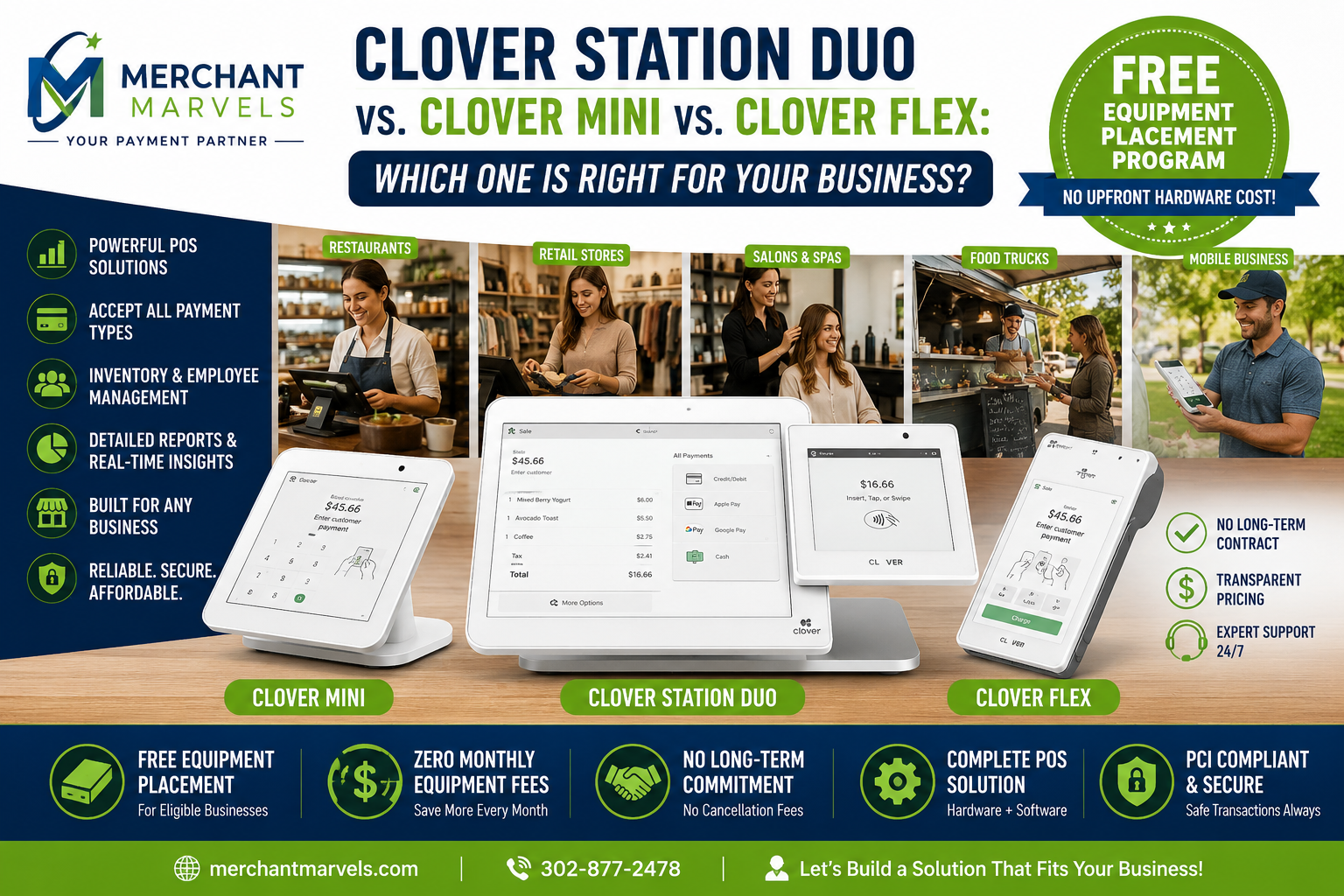
Each device has its own strengths. The Clover Station Duo is a powerful countertop system built for high-volume businesses. The Clover Mini is compact but still full-featured, making it great for businesses that want a professional POS without taking too much counter space. The Clover Flex is a handheld POS that gives you mobility, whether you are taking payments at the table, on the floor, at events, or on the go.
In this guide, we will compare the Clover Station Duo, Clover Mini, and Clover Flex, explain which type of business each device is best for, and show how the Merchant Marvels Free Equipment Placement Program can help eligible businesses get Clover equipment without paying upfront hardware costs.
Why Your POS Choice Matters
A lot of business owners think a POS machine is just used to swipe, dip, or tap cards. That is only one part of it. Today’s modern POS systems can do much more.
A good POS system can help you:
Accept credit cards, debit cards, contactless payments, Apple Pay, Google Pay, and other digital wallets.
Create and organize items, services, menus, categories, and modifiers.
Track sales and view reports.
Manage inventory.
Add taxes, tips, discounts, and service charges.
Manage employees and permissions.
Send receipts by print, email, or text.
Support online ordering, appointment booking, loyalty, gift cards, and customer engagement depending on your Clover software plan and apps.
The right device also affects your daily speed. For example, a busy restaurant may need a large screen and customer-facing display. A salon may need a device that supports appointments and checkout at the front desk. A food truck may need a portable device that works well in a smaller space. A retail shop may need barcode scanning, inventory tools, and a professional checkout station.
That is why comparing Clover Station Duo, Clover Mini, and Clover Flex is important before you choose.
Quick Overview: Clover Station Duo, Clover Mini, and Clover Flex
Before we go device by device, here is a simple overview.
The Clover Station Duo is best for businesses that need a complete countertop POS setup with a large merchant screen and a customer-facing screen. It is ideal for restaurants, retail stores, salons, convenience stores, and businesses with a steady checkout counter.
The Clover Mini is best for businesses that want a smaller countertop POS with professional features. It works well for salons, small retail stores, quick-service businesses, cafes, service businesses, and shops with limited counter space.
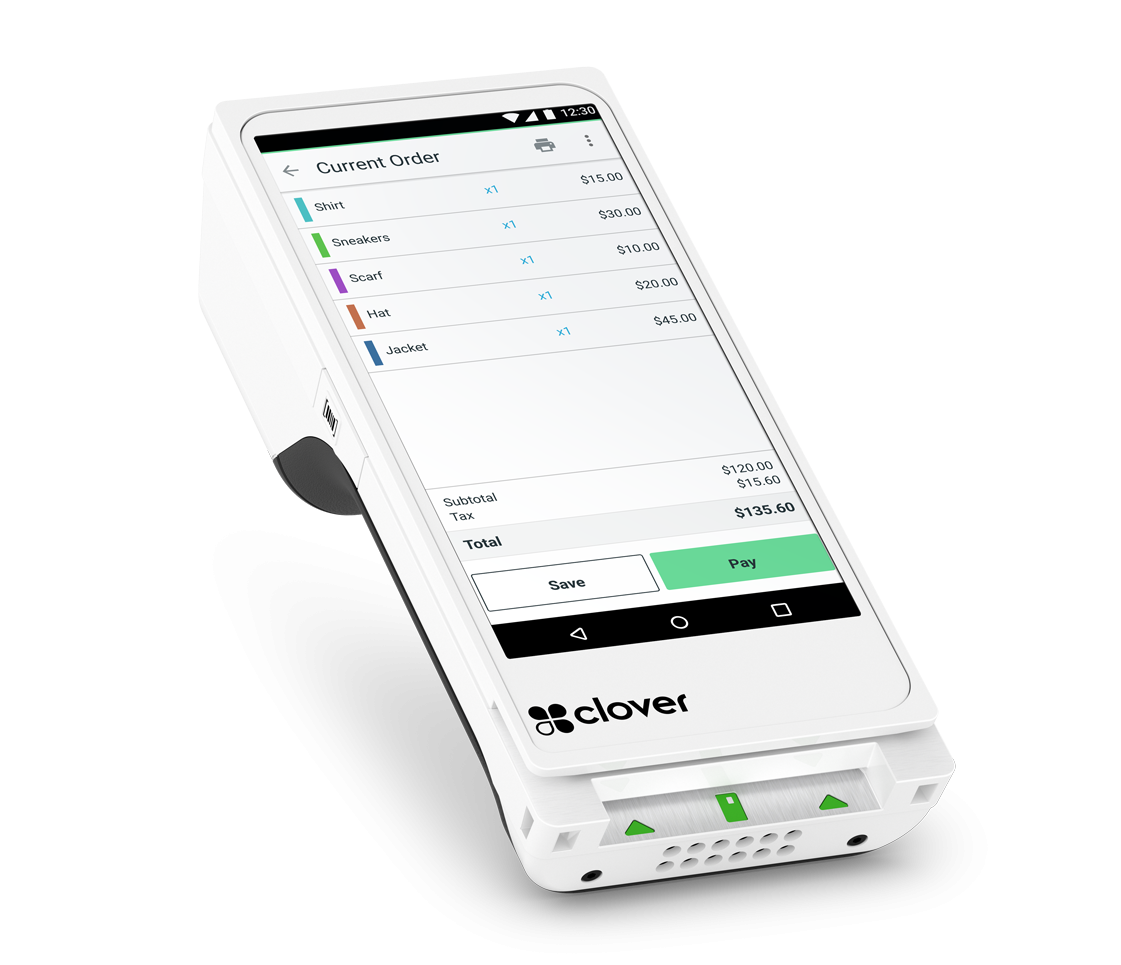
The Clover Flex is best for businesses that need mobility. It is a handheld POS with a touchscreen, built-in receipt printer, camera/barcode scanner, and payment acceptance in a portable form. Clover describes Flex as a handheld POS with an approximately 6-inch touchscreen, built-in printer, camera/barcode scanner, and support for swipe, dip, tap, and contactless payments.
Each device can be powerful, but the best choice depends on your business model, transaction volume, space, and how your customers pay.
Clover Station Duo: Best for Full Countertop Checkout
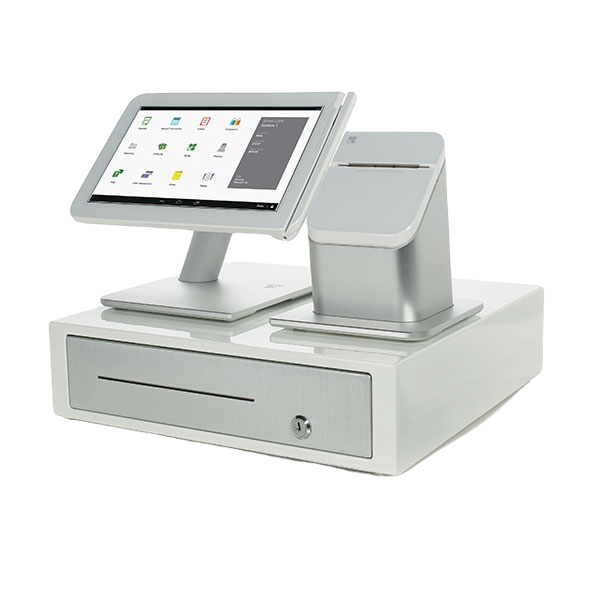
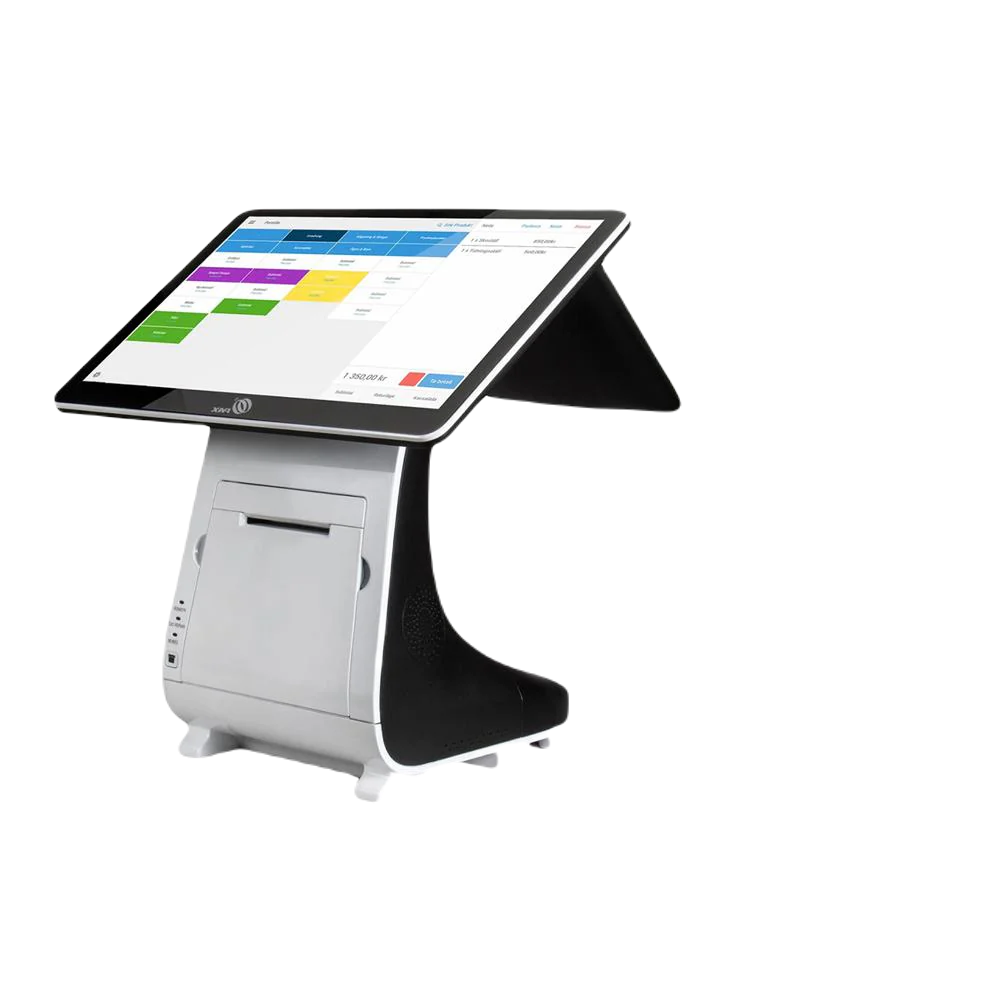
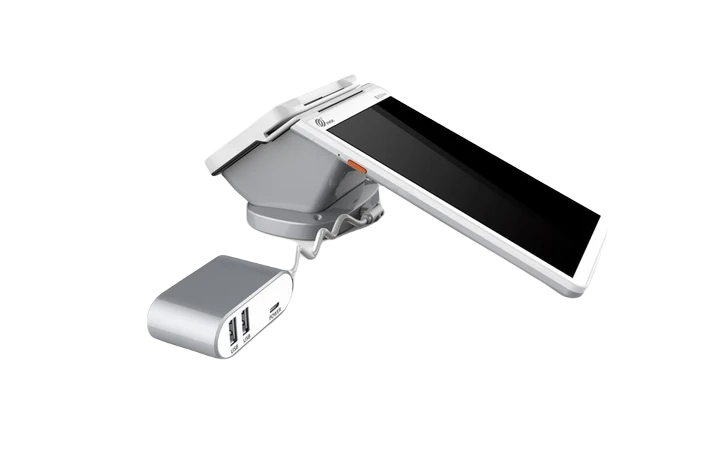
The Clover Station Duo is the most complete and professional setup among the three devices. It is designed for businesses that want a full point-of-sale station at the counter. Clover describes the Station Duo as a two-screen POS system that lets merchants run the business while customers can initiate payments on the customer-facing display.
The newer Clover Station Duo 2 includes a 14-inch merchant-facing display and an 8-inch customer-facing display, according to Clover’s technical specifications.
This dual-screen setup is helpful because your staff can ring up the order on their screen while the customer sees the transaction details, tip options, and payment prompts on the customer-facing screen.
Best Business Types for Clover Station Duo
The Clover Station Duo is a strong choice for:
Restaurants
Quick-service restaurants
Coffee shops
Retail stores
Convenience stores
Smoke shops
Liquor stores, where allowed by processor and business rules
Salons and spas
Grocery or specialty food stores
Businesses with a front counter
High-volume merchants
If your business has customers walking up to a counter to pay, the Station Duo gives your checkout area a professional look and makes the payment process easier for both your staff and your customers.
Main Benefits of Clover Station Duo
The first major benefit is the large screen. A larger screen is helpful when you have many items, categories, modifiers, employees, discounts, or order types. For example, a restaurant can quickly add menu items, modifiers, and taxes. A retail store can search inventory more easily. A salon can manage services, tips, and checkout from one place.
The second major benefit is the customer-facing display. Customers can clearly see their order, confirm the amount, choose tip options, and complete payment. This creates transparency and can reduce checkout confusion.
The third benefit is that it works well with accessories. Clover notes that Station models are compatible with external printers and supported accessories such as receipt printers and kitchen printers.
That makes Station Duo especially useful for restaurants that need a kitchen printer, counter-service businesses that need fast ordering, or retail shops that want a complete checkout lane.
When Clover Station Duo Makes the Most Sense
Choose Clover Station Duo if your business needs a strong front-counter setup and you want the most complete Clover experience.
It makes sense when:
You process a steady number of transactions daily.
You have employees using the POS.
You want a professional checkout counter.
You need a customer-facing screen.
You want better order visibility.
You need inventory, menu, employee, or reporting tools.
You may add accessories such as a cash drawer, receipt printer, kitchen printer, barcode scanner, or other supported hardware.
You do not want your checkout system to feel like a small card reader. You want it to look and operate like a full business management system.
Possible Downsides of Clover Station Duo
The main downside is size. If you have very limited counter space, the Station Duo may be more than you need. It is also less portable than the Flex. It is designed to stay at the counter, not move around the store or go to tables.
Another consideration is that Clover software costs can vary depending on the plan and business type. The hardware itself may be placed for free through Merchant Marvels for eligible merchants, but software fees, merchant service fees, and other applicable program costs may still apply depending on the setup.
Clover Mini: Best Compact Countertop POS
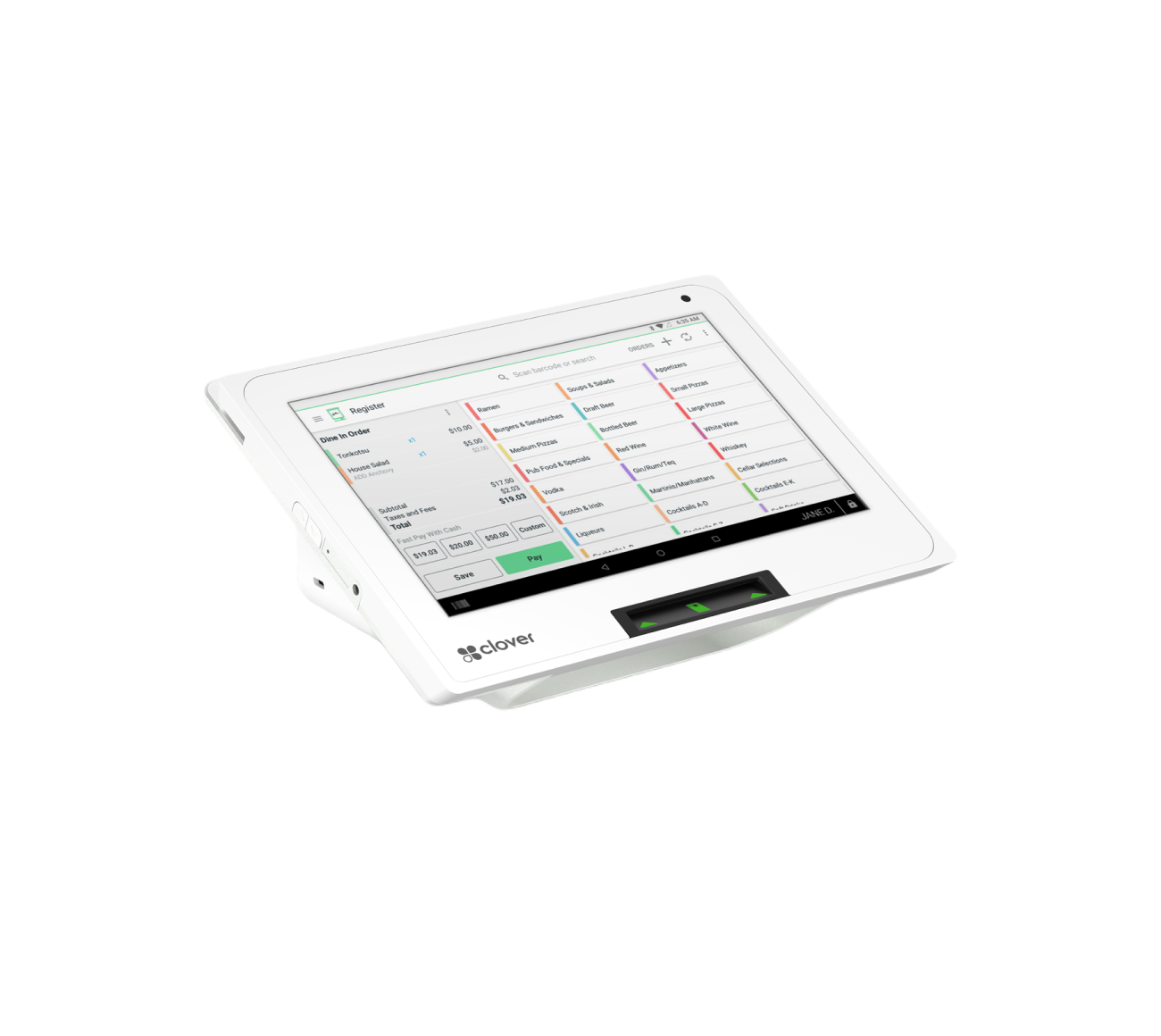
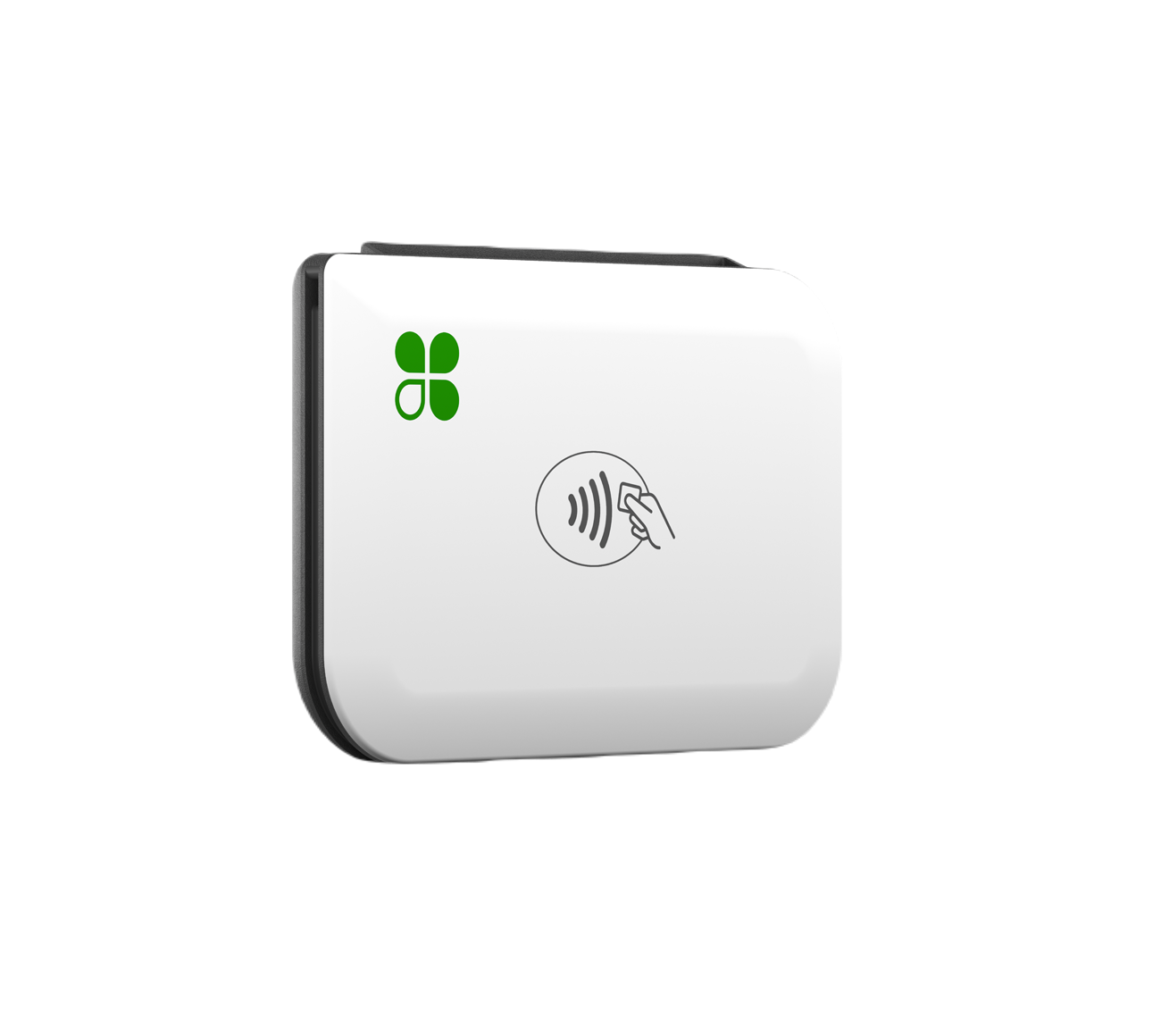
The Clover Mini is a smaller countertop POS system that gives business owners many Clover features without taking up as much space as the Station Duo. It is a good middle option between the full Station Duo and the mobile Clover Flex.
The Mini is great for businesses that want a clean, professional checkout device but do not necessarily need a large dual-screen station.
Best Business Types for Clover Mini
The Clover Mini is a good fit for:
Small retail stores
Boutiques
Salons
Barbershops
Nail salons
Small cafes
Food counters
Service businesses
Medical or wellness offices
Small convenience stores
Pop-up stores with a fixed checkout area
Businesses with limited counter space
If your business wants a professional POS but does not need a large station, the Mini can be a smart option.
Main Benefits of Clover Mini
The biggest benefit of the Clover Mini is its compact size. It gives you a professional POS setup without taking over your counter. This is especially helpful for salons, small stores, and service businesses where counter space is limited.
Another benefit is that the Mini can still support many business functions. Depending on your Clover plan and apps, you can use it for payments, inventory, reporting, employees, receipts, tips, taxes, discounts, and other POS functions.
The Mini is also good for customer-facing checkout because it can sit on the counter and be used for payments in a clean, organized way.
When Clover Mini Makes the Most Sense
Choose Clover Mini if you want a countertop POS but do not need the larger Station Duo.
It makes sense when:
You want a professional checkout system.
You have limited counter space.
Your transaction volume is moderate.
You need more than a basic card terminal.
You want inventory, reporting, tip, tax, and receipt features.
You run a salon, small shop, or service business.
You do not need a large customer-facing display.
For many small businesses, the Clover Mini is the “just right” option. It is more complete than a simple handheld device but smaller and simpler than a full Station Duo setup.
Possible Downsides of Clover Mini
The Clover Mini may not be the best option for a very busy restaurant or high-volume retail store that needs a bigger screen, fast order entry, and a dedicated customer-facing display. It can work well for many businesses, but if your operation is complex, the Station Duo may be a better fit.
It is also not as mobile as the Clover Flex. If you need to take payments at tables, outside the store, at events, or around the sales floor, the Flex may be a better choice.
Clover Flex: Best Handheld POS for Mobility
The Clover Flex is the most portable device of the three. It is a handheld POS that allows businesses to take payments almost anywhere. Clover describes Flex as a handheld POS with an approximately 6-inch touchscreen, built-in receipt printer, camera, barcode scanner, and payment acceptance for swipe, dip, tap, and contactless payments.
This makes it extremely useful for businesses that do not want to be tied to one checkout counter.
Best Business Types for Clover Flex
The Clover Flex is a strong choice for:
Restaurants with tableside payments
Food trucks
Mobile businesses
Delivery businesses
Event vendors
Pop-up shops
Trade show sellers
Salons and spas
Retail stores that want line-busting
Service businesses
Contractors
Businesses that take payments away from the counter
If you move around while doing business, the Flex is often the best Clover device.
Main Benefits of Clover Flex
The biggest benefit is mobility. You can carry it to the customer instead of making the customer come to the counter. For restaurants, this can mean tableside ordering and payments. For retail stores, it can help with line-busting during busy hours. For service businesses, it can be used in the field.
Another benefit is that it has several tools built in. The Flex includes a touchscreen, payment reader, receipt printer, and camera/barcode scanner in one device. Clover also says the Flex can work alone or pair with other Clover devices to create a complete location solution.
This is helpful if you want to use a Station Duo at the counter and add Flex devices for tableside payments or mobile checkout.
When Clover Flex Makes the Most Sense
Choose Clover Flex if your business needs payment flexibility.
It makes sense when:
You do not always check out customers at a counter.
You need to take payments at tables.
You run a food truck or mobile service business.
You attend events, fairs, or pop-ups.
You want staff to take payments on the sales floor.
You want a backup device for busy hours.
You want to pair it with another Clover system.
For example, a restaurant may use a Station Duo at the counter and Clover Flex devices for servers. A retail store may use a Mini at the checkout counter and a Flex during peak times. A mobile vendor may use only a Flex because they do not need a large countertop station.
Possible Downsides of Clover Flex
The main downside is screen size. Because it is handheld, it does not offer the same large-screen experience as the Station Duo. If you have a large menu, many items, or complex order entry, it may not be as comfortable for daily high-volume use as a larger POS.
It is also easier to misplace or damage because it is portable. Businesses should train employees on proper handling and charging.
Side-by-Side Comparison
Clover Station Duo
Best for: Full countertop checkout
Ideal businesses: Restaurants, retail stores, salons, convenience stores, high-volume merchants
Strength: Large screen, customer-facing display, professional checkout setup
Mobility: Low
Counter space needed: More
Best use case: Main register
Clover Mini
Best for: Compact countertop POS
Ideal businesses: Small retail, salons, barbershops, cafes, service businesses
Strength: Small footprint with strong POS features
Mobility: Low to moderate
Counter space needed: Less
Best use case: Small business checkout counter
Clover Flex
Best for: Handheld and mobile payments
Ideal businesses: Restaurants, food trucks, mobile services, events, pop-ups, retail line-busting
Strength: Portable POS with built-in printer and scanner
Mobility: High
Counter space needed: Very little
Best use case: Tableside, mobile, and on-the-go payments
Which Clover Device Should You Choose?
Choose Clover Station Duo If…
You want a full professional register setup.
Your business has a fixed checkout counter.
You process a good amount of transactions.
You want customers to see the order and payment screen.
You need a strong system for staff, items, taxes, tips, discounts, and reporting.
You run a restaurant, retail shop, salon, convenience store, or similar business.
For many established businesses, the Station Duo is the best main POS system.
Choose Clover Mini If…
You want a countertop POS but do not need a large register.
You have limited space.
You want something clean and professional.
You run a smaller store, salon, barbershop, cafe, or service business.
You need more than a simple card reader but less than a full Station Duo.
The Mini is a great balance between size, function, and simplicity.
Choose Clover Flex If…
You need to take payments away from the counter.
You run a mobile business.
You want tableside payments.
You attend events or pop-ups.
You want a handheld device for staff.
You want a portable device that can also sync with your Clover system.
The Flex is the best choice when mobility matters most.
Common Clover Setup Examples by Business Type
Restaurant or Cafe
A restaurant may choose the Clover Station Duo as the main register because it provides a large screen and customer-facing display. If the restaurant also wants tableside ordering or payments, it may add one or more Clover Flex devices.
Recommended setup: Station Duo + Flex
Salon or Barbershop
A salon may choose the Clover Mini if it wants a compact front-desk checkout system. If the salon wants staff to take payments near the chair or while moving around, a Clover Flex can be useful too.
Recommended setup: Mini or Station Duo, with optional Flex
Retail Store
A retail store with a steady checkout counter may benefit from the Station Duo. A smaller boutique may prefer the Mini. A larger retail store may add Flex devices for line-busting during busy hours.
Recommended setup: Station Duo for high volume, Mini for compact checkout, Flex for mobile checkout
Food Truck or Event Vendor
A food truck or event vendor usually needs portability. The Clover Flex is often the best option because it is compact and easy to carry.
Recommended setup: Flex
Convenience Store or Smoke Shop
These businesses often need fast checkout, inventory tools, and a professional counter setup. The Station Duo is usually the stronger option, especially if the store has a high number of daily transactions.
Recommended setup: Station Duo
How Merchant Marvels’ Free Equipment Placement Program Works
One of the biggest concerns for small business owners is the upfront cost of POS equipment. A full POS system can be expensive, especially when you need a register, customer display, printer, cash drawer, handheld device, or other accessories.
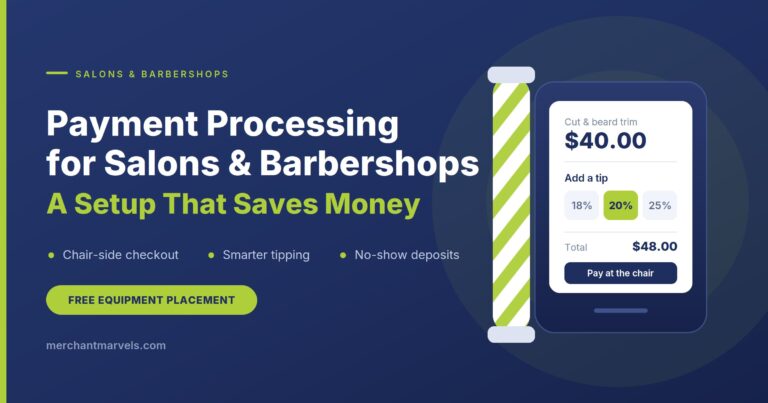
That is why Merchant Marvels offers a Free Equipment Placement Program for eligible businesses.
This program is designed to help business owners get access to Clover POS equipment without paying the full hardware cost upfront.
What “Free Equipment Placement” Means
Free equipment placement means Merchant Marvels places approved POS equipment with your business as part of your merchant services setup.
Instead of buying the equipment upfront, eligible merchants may receive Clover hardware for use with their processing account.
In simple terms:
You apply for merchant services.
Merchant Marvels reviews your business needs.
The correct Clover device is recommended.
If approved, the equipment is placed with your business.
You use the device to process payments through the approved merchant account.
The equipment remains part of the placement program and must be returned if services are canceled or closed.
This allows businesses to start using professional POS equipment without a large upfront hardware expense.
What Equipment May Be Available?
Depending on business type, approval, processing volume, and program eligibility, Merchant Marvels may offer equipment such as:
Clover Station Duo
Clover Mini
Clover Flex
Receipt printer
Cash drawer
Kitchen printer
Kitchen display system
Other approved accessories
Not every business will qualify for every device or accessory. The final setup depends on underwriting, business type, expected processing volume, risk level, and operational needs.
For example, a restaurant may qualify for a Station Duo and kitchen printer setup, while a mobile service business may be better suited for a Clover Flex.
Is the Equipment Really Free?
The equipment may be placed at no upfront hardware cost and no monthly rental under the approved program structure.
However, “free equipment placement” does not mean there are no costs at all. Businesses may still have:
Merchant service fees
Processing fees
Clover software fees
Applicable monthly program fees depending on plan
Optional app fees
Optional accessory or service costs
Chargeback fees, PCI-related fees, or other standard processing-related costs if applicable
The key benefit is that eligible merchants do not have to purchase the Clover hardware upfront.
Merchant Marvels focuses on making the setup affordable and transparent, with no long-term contract and no cancellation charges under the program terms. Equipment must be returned if the merchant stops processing or closes the account.
How the Application Process Works
The process is simple.
Step 1: Business Consultation
Merchant Marvels first understands your business.
This includes questions like:
What type of business do you operate?
Do you sell products, services, food, or appointments?
Do customers pay at a counter, table, online, or on the go?
How much do you process monthly in credit and debit cards?
Do you need inventory, appointments, online ordering, employees, or reporting?
Do you need one device or multiple devices?
This helps determine whether Clover Station Duo, Clover Mini, or Clover Flex is the right fit.
Step 2: Program Recommendation
After learning about your business, Merchant Marvels recommends a setup.
For example:
A restaurant may be recommended Clover Station Duo with a kitchen printer.
A salon may be recommended Clover Mini or Station Duo with appointment features.
A food truck may be recommended Clover Flex.
A retail store may be recommended Station Duo or Mini depending on volume and space.
The goal is not just to give you a machine. The goal is to match your business with the correct system.
Step 3: Pre-Application and Documents
To move forward, the merchant usually completes a pre-application and provides required documents. These may include business details, owner details, banking information, identification, and a voided check or bank letter when required.
This is part of the merchant account approval process.
Step 4: Underwriting and Approval
The application is reviewed for approval. Underwriting may consider business type, processing history, ownership details, industry risk, expected volume, average ticket size, and other standard factors.
Once approved, the merchant account and equipment placement can move forward.
Step 5: Equipment Setup and Activation
After approval, Merchant Marvels helps with setup and activation. The Clover device can be configured for your business, including items, taxes, tips, receipts, employees, and other basic settings depending on the program and service package.
Step 6: Start Accepting Payments
Once everything is ready, your business can start accepting card payments using your Clover POS.
Depending on your approved setup, you may be able to accept:
Swipe payments
Chip card payments
Tap-to-pay/contactless payments
Apple Pay
Google Pay
Debit and credit cards
Digital receipts
Printed receipts
Processing Options Available Through Merchant Marvels
Merchant Marvels works with businesses that may want different pricing structures depending on their goals.
Zero-Fee / Surcharge Program
With a zero-fee or surcharge-style program, eligible merchants may pass a small card processing cost to customers who choose to pay by credit card, where permitted by law and card brand rules.
This can help the merchant reduce or eliminate most card processing costs.
This type of program can be attractive for businesses that want to keep more of their revenue and stop absorbing credit card fees.
Flat Rate Program
Some merchants prefer a simple flat rate, such as a fixed percentage plus a small transaction fee. This can make processing costs easier to understand.
A flat rate may be better for businesses that want predictable pricing and do not want to pass fees to customers.
Interchange-Plus / Wholesale Style Pricing
Some businesses with higher volume may prefer interchange-plus or wholesale-style pricing. This can provide more transparency because the merchant pays the underlying interchange cost plus a markup.
This can be a good option for businesses that process a strong monthly volume and want a more detailed pricing structure.
Merchant Marvels can help explain these options in simple language so business owners can choose what makes the most sense.
Final Recommendation
There is no single Clover device that is perfect for every business.
The right choice depends on how you operate.
Choose Clover Station Duo if you want the most complete countertop POS system with a professional dual-screen checkout experience.
Choose Clover Mini if you want a compact countertop POS that still gives you strong business tools.
Choose Clover Flex if you need a portable handheld POS for mobile payments, tableside checkout, events, or line-busting.
For many businesses, the best setup may even be a combination. A restaurant may use Station Duo at the counter and Flex at tables. A retail store may use Mini at the counter and Flex during busy hours. A salon may use Station Duo or Mini at reception and Flex for checkout around the shop.
The best way to decide is to look at your business workflow, customer checkout process, monthly volume, space, and software needs.
Get a Free Clover POS Consultation with Merchant Marvels
Merchant Marvels helps small businesses choose the right POS system and payment processing setup. Through our Free Equipment Placement Program, eligible businesses may qualify for Clover equipment with no upfront hardware cost, no monthly rental, no long-term contract, and no cancellation charges.
Whether you need a Clover Station Duo, Clover Mini, Clover Flex, or a complete POS setup with accessories, our team can help you find the right solution.
Ready to upgrade your checkout system?
Contact Merchant Marvels today to see which Clover POS is right for your business and whether you qualify for free equipment placement.
Merchant Marvels
Website: merchantmarvels.com
Phone: 302-877-2478