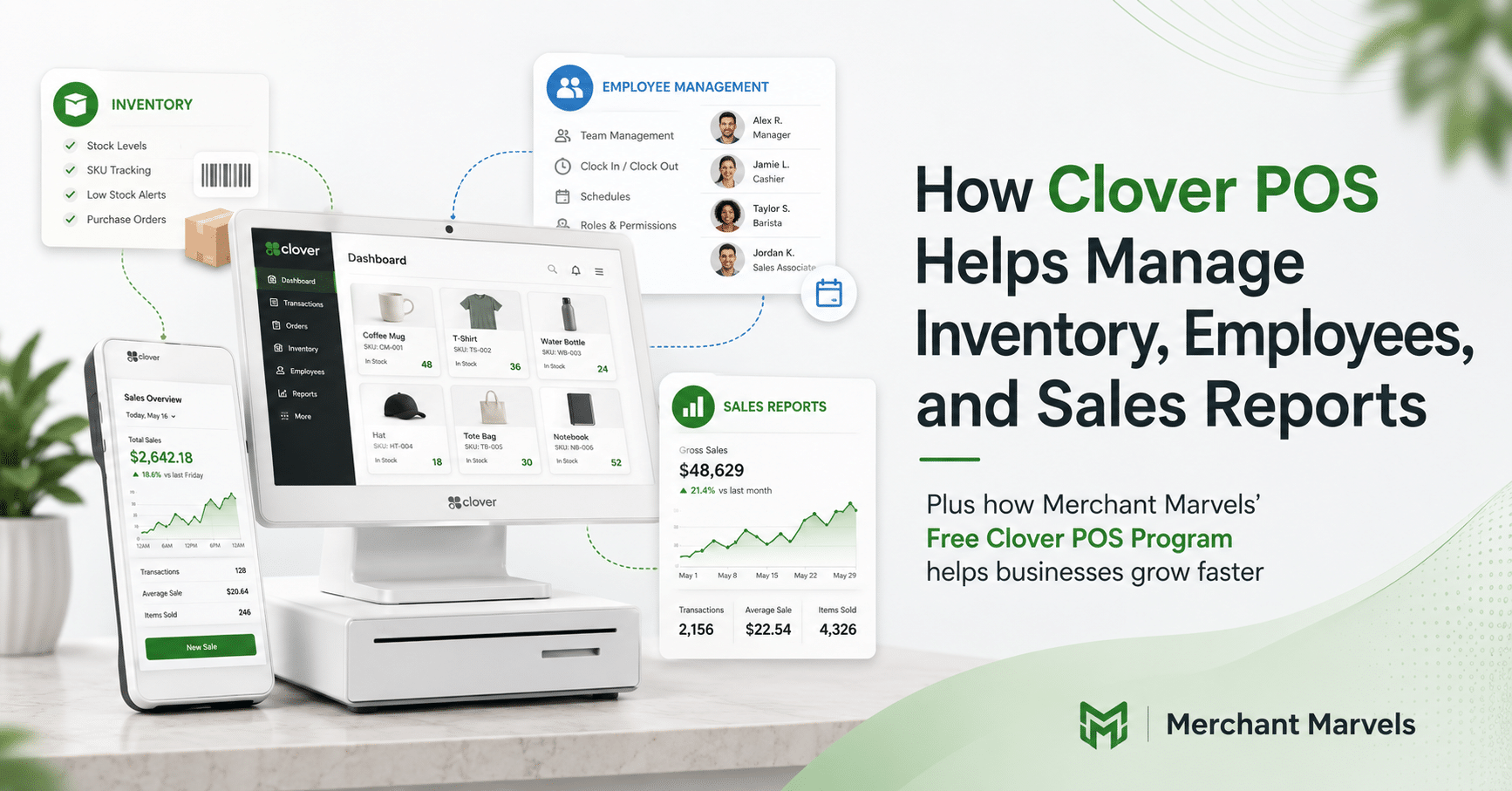
Running a successful small business requires much more than accepting payments. Business owners must know what is selling, which products need to be reordered, how employees are performing, when the business is busiest, and whether sales are moving in the right direction.
When these responsibilities are managed through separate spreadsheets, notebooks, time clocks, and software platforms, even simple decisions can become time-consuming. Information may be entered incorrectly, employee hours may not match payroll records, and inventory numbers can quickly become outdated.
Clover POS is designed to bring payments and important business-management tools into one connected system. In addition to processing customer transactions, Clover can help merchants organize inventory, manage employee access and attendance, and review sales performance through Clover devices and the Clover Dashboard.
Clover describes its platform as a customizable point-of-sale system that can help businesses manage orders, inventory, employees, scheduling, customer engagement, and reporting.
This guide explains how Clover POS can help business owners manage inventory, employees, and sales reports—and how using these capabilities together can lead to faster decisions, fewer manual errors, and a better understanding of daily operations.
Why Business Management Matters at the Point of Sale
The point of sale is where many of a business’s most useful operational records are created.
Every transaction can reveal:
- What product or service was sold
- When the transaction occurred
- Which employee processed the order
- What discount was applied
- Which payment method was used
- Whether the transaction was later refunded
- Which location completed the sale
When the POS system is connected to inventory and employee records, a transaction becomes more than a payment. It becomes a source of valuable business information.
For example, a retail store can use item-level sales information to identify which sizes, colors, or product categories need to be reordered. A restaurant can compare menu-item performance during lunch and dinner hours. A salon can review sales by service or employee. A multi-location business can compare store performance without waiting for separate reports from every manager.
Clover’s reporting tools provide access to information such as sales trends, revenue, best-selling items, busy periods, refunds, discounts, open orders, employee performance, and location-level results. Reports can be accessed through the Clover Dashboard and, for supported functions, through mobile devices and the Clover Go app.
How Clover POS Helps With Inventory Management
Inventory is one of the largest investments for many retailers, restaurants, convenience stores, salons, and service businesses.
Too little inventory can result in missed sales and disappointed customers. Too much inventory can tie up cash, occupy valuable storage space, and increase the risk of waste, spoilage, or outdated products.
Clover helps merchants create and manage merchandise, menu items, and service offerings through Clover devices and the Merchant Dashboard. Its inventory structure supports items, categories, subcategories, item groups, variants, modifiers, stock quantities, availability settings, taxes, and discounts.
Create a Centralized Product or Service Catalog
The first step in using Clover’s inventory tools is building a clear catalog of everything the business sells.
Depending on the type of business, the catalog might include:
- Physical retail products
- Restaurant menu items
- Beverages and ingredients
- Salon services
- Product packages
- Add-on services
- Optional upgrades
- Seasonal products
Instead of manually entering a price every time, employees can select the correct item from the Clover Register.
This helps create more accurate orders and more useful sales data. A sale recorded as “Large Iced Coffee” is much easier to analyze than a generic transaction entered only as “Custom Item – $6.00.”
A well-organized catalog can also make checkout faster. Employees spend less time remembering prices or searching for products, and new team members can learn the checkout process more easily.
Clover’s inventory tools allow merchants to update and organize merchandise, menus, and service offerings for in-store and supported online transactions.
Organize Items With Categories and Subcategories
Categories make large inventories easier to navigate and analyze.
A clothing store might create categories such as:
- Men
- Women
- Children
- Footwear
- Accessories
A restaurant might use:
- Appetizers
- Entrees
- Beverages
- Desserts
- Side Orders
A salon might organize its catalog into:
- Haircuts
- Hair Coloring
- Styling
- Treatments
- Retail Products
- Add-On Services
Clover supports categories and subcategories, allowing merchants to group similar items and move products into the appropriate sections.
This organization provides two major benefits.
First, it improves the checkout experience because employees can find items more quickly.
Second, it improves reporting because owners can review the performance of an entire category instead of looking only at individual products.
For example, a restaurant owner may discover that beverage sales are strong but dessert sales are weak. A boutique may find that accessories generate more transactions than expected. A salon may notice that coloring services are growing while retail-product sales are declining.
These insights can guide promotions, product placement, employee recommendations, and future purchasing decisions.
Manage Variants and Item Groups
Many products are sold in multiple versions.
A T-shirt may be available in different sizes and colors. A coffee may be available in small, medium, and large. A salon service may have different prices depending on hair length. A restaurant item may be available with several preparation options.
Clover supports item groups and variants, allowing merchants to manage different versions of a related product under a structured inventory system.
For example, instead of creating unrelated inventory entries for every shirt variation, a retailer can create a main product with selectable size and color options.
This can help keep the register organized and make stock information easier to understand.
A retailer may be able to see that a particular shirt is selling well overall but that the medium size is almost out of stock. Without variant-level organization, that important detail could be missed.
Customize Orders With Modifiers
Modifiers allow employees or customers to customize an item during the ordering process.
A restaurant may use modifiers for:
- Extra cheese
- No onions
- Choice of side
- Cooking preference
- Additional toppings
- Drink size
A coffee shop may use modifiers for:
- Milk choice
- Syrup flavor
- Extra espresso shot
- Whipped cream
- Hot or iced preparation
A salon may use modifiers for:
- Hair length
- Additional treatment
- Premium product
- Styling upgrade
Clover supports modifier groups and individual modifiers for customizing orders.
Properly configured modifiers can improve order accuracy because employees can record exactly what the customer requested.
They can also support upselling. When an employee selects an item, the system can display relevant upgrades or add-ons. If the employee consistently offers those choices, the business may increase its average transaction value.
Because the selected modifiers are recorded, the owner can later identify which upgrades are generating additional revenue.
Track Stock Quantities
Clover inventory records can include stock quantities, helping merchants understand how many units remain available.
This can help answer important questions such as:
- How many units are currently in stock?
- Which products are selling fastest?
- Which products are approaching low stock?
- Which items have stopped moving?
- Which products should be reordered?
- Which items should be temporarily unavailable?
For retailers, stock tracking can reduce the risk of running out of popular products.
For restaurants, it can help managers watch the availability of menu items and ingredients.
For salons and service businesses, it can help track retail products, treatment supplies, packages, or other goods sold to customers.
Clover’s inventory tools support item stock information and availability controls.
Manage Item Availability
A product may remain in the business catalog even when it is temporarily unavailable.
Clover allows availability to be managed manually or automatically for supported items and sales channels. An item can be marked unavailable so employees or customers do not continue trying to purchase something that cannot currently be provided.
This is particularly valuable for restaurants using online ordering.
For example, imagine that a restaurant runs out of a popular dessert. If the item remains available online, customers may continue ordering it. Employees must then contact customers, offer replacements, or issue refunds.
When availability is updated promptly, customers see more accurate choices, employees handle fewer complaints, and orders are more likely to be completed correctly.
Clover also promotes low-stock alerts in certain retail and industry solutions. These alerts can help employees identify products or ingredients that may need to be reordered before they are completely sold out. Availability can depend on the merchant’s Clover plan, market, configuration, and installed applications.
Coordinate In-Store and Online Inventory
Businesses that sell both in person and online need consistent product information.
If prices, modifiers, product names, and availability are managed separately, customers may see outdated information or order products that are no longer available.
Clover’s enhanced inventory tools are designed to manage merchandise, menus, and service offerings for POS transactions and supported online orders. Merchants can control items, categories, modifier groups, and modifiers while also creating customer-facing online names for items and options.
This can be useful for restaurants offering online ordering, retailers providing pickup, and service businesses that maintain different internal and customer-facing descriptions.
For example, employees may use a short internal item name such as “CHX SAND,” while customers see the complete description “Grilled Chicken Sandwich.”
Import Large Inventories More Efficiently
Entering hundreds of products one at a time can be a major setup burden.
Clover supports bulk inventory imports using a Microsoft Excel spreadsheet, helping merchants create larger catalogs more efficiently.
Bulk import can be useful when a business is:
- Opening a new location
- Migrating from another POS system
- Uploading a large retail catalog
- Adding seasonal products
- Updating prices across many items
- Reorganizing product categories
Before importing the spreadsheet, merchants should review item names, prices, categories, tax settings, modifiers, and stock information carefully.
Poor inventory setup can result in confusing registers and unreliable reports. Clean and consistent information produces much more valuable sales analysis later.
Use Inventory Data to Make Purchasing Decisions
Inventory tracking becomes more valuable when it is combined with sales reporting.
Knowing that ten units remain is helpful. Knowing that those ten units normally sell within two days is much more actionable.
By reviewing best-selling items, item-level performance, category trends, and busy periods, business owners can estimate what should be reordered and when.
Clover’s reporting tools allow merchants to identify top-performing and underperforming items and analyze sales trends over different periods.
This can reduce emotional or guess-based purchasing.
Instead of ordering a product simply because a supplier recommends it, the owner can review actual sales history. Instead of stocking every item equally, the business can prioritize products that generate consistent customer demand.
How Clover POS Helps With Employee Management
Employees need access to the POS, but not every employee should have the same level of control.
A cashier may need to process transactions. A supervisor may need to open and close shifts. A manager may need to issue refunds, adjust inventory, review employee activity, or access sales reports.
Clover’s employee-management tools are designed to centralize employee profiles, POS access, time records, performance information, roles, and permissions. Clover also offers integrated time and attendance through Homebase and payroll capabilities through Clover Payroll by ADP.
Create Individual Employee Profiles
Individual employee profiles allow transactions and activity to be connected to the appropriate team member.
This is much more useful than allowing everyone to share the same login.
With separate profiles, a business can better understand:
- Who processed a transaction
- Who was clocked in
- Which employee completed a sale
- Which employee’s totals appear in reports
- Who performed a refund or adjustment
- Which team members were working during a particular shift
Clover’s employee-management platform uses a centralized profile to manage POS access, time-in and time-out records, performance information, and permissions.
Individual profiles can also improve accountability. If a transaction is discounted, refunded, or changed, the business has a clearer operational record than it would have with a shared account.
Assign Roles and Permissions
Clover supports employee roles and access permissions.
Official Clover developer documentation identifies role types such as Owner, Admin, Manager, and Employee. Clover’s employee-management materials also explain that merchants can create employee roles and manage access permissions.
Permissions help ensure that employees have access to the tools needed for their jobs without unnecessarily giving everyone complete control.
For example, a cashier may be able to:
- Create customer orders
- Add items
- Accept payments
- Print receipts
A manager may also be able to:
- Approve refunds
- Apply certain discounts
- Adjust inventory
- Review employee activity
- View sales reports
- Complete closeout procedures
An owner or administrator may need complete access to business settings, reporting, integrations, employee permissions, and financial information.
A thoughtful permissions structure can reduce accidental changes, protect sensitive business information, and simplify employee training.
Track Time and Attendance
Accurate employee time tracking is essential for payroll, scheduling, and labor-cost control.
Clover’s employee-management offering includes embedded Homebase time-and-attendance tools. Employees can clock in and out using Clover devices, while owners can create schedules, track breaks, and identify time-record errors through the Clover environment.
This can replace handwritten timesheets or separate clock-in systems.
It may also reduce the time spent transferring employee hours from one platform to another.
When employees clock in through the same environment used to process sales, owners can compare staffing levels with actual business activity.
This can help answer questions such as:
- Was the store overstaffed during a slow period?
- Were too few employees scheduled during the lunch rush?
- Are overtime hours increasing?
- Do labor hours match actual sales demand?
- Are employees clocking in too early or clocking out too late?
- Are scheduled breaks being recorded properly?
Build Better Employee Schedules
Employee scheduling should be based on expected customer demand, not only habit.
Clover’s reporting tools can reveal busy days and hours, while its employee-management tools can help merchants create and manage schedules.
A restaurant that is busiest between 6:00 p.m. and 9:00 p.m. may need additional front-of-house and kitchen coverage during those hours.
A retailer may need more employees on weekends or during seasonal promotions.
A salon may need more stylists available on days when coloring or treatment services are most frequently booked.
Comparing labor costs with actual sales can help owners adjust staffing and protect margins. Clover specifically describes a side-by-side comparison of labor costs and sales as a way to optimize employee schedules.
The objective is not always to reduce staffing. In some cases, reports may show that the business is understaffed during its most profitable hours. Adding another employee at the right time could improve service speed, customer satisfaction, and total sales.
Review Employee Sales Performance
Clover reporting can track total sales per employee and provide insight into team-member performance.
End-of-day reports can include tips and server totals, while broader reporting tools can help identify high- and low-performing team members.
Employee sales information can help owners:
- Recognize strong performers
- Identify training opportunities
- Evaluate upselling efforts
- Review discount activity
- Set performance goals
- Compare sales across shifts
- Improve product or service recommendations
However, sales totals should always be reviewed with context.
An employee working during the busiest shift may naturally process more sales than someone working during a quieter period. A restaurant server assigned to larger tables may have higher sales totals. A cashier may focus on checkout speed while another employee handles customer complaints or inventory duties.
Employee reports are most useful when they are combined with scheduling, shift conditions, customer feedback, and job responsibilities.
Simplify Payroll Workflows
Clover Payroll by ADP is presented as an integrated payroll option that can automate tax calculation and filing.
Clover also states that approved employee hours can sync from time records into payroll, reducing the need to manually re-enter timesheets.
For business owners, the primary benefit is workflow efficiency.
Manual payroll preparation creates opportunities for mistakes, particularly when employee hours, breaks, overtime, and corrections are stored in different places.
A connected time-to-payroll process can make payroll preparation more consistent. However, merchants should still review:
- Employee classifications
- Hourly rates
- Overtime requirements
- Break records
- Payroll taxes
- Employee deductions
- Submitted hours
- Local labor regulations
Payroll and employment requirements vary by jurisdiction. Software can support the process, but it should not replace professional payroll, accounting, or legal guidance.
How Clover POS Helps With Sales Reporting
A business cannot improve what it does not measure.
Bank deposits may show how much money arrived, but they do not explain which products sold, when customers visited, which employees handled transactions, how much was refunded, or how discounts affected revenue.
Clover’s sales-reporting tools turn transaction data into more understandable business information.
Merchants can track information such as:
- Overall revenue
- Hourly revenue
- Best-selling items
- Refunds
- Discounts
- Open orders
- Employee totals
- Payment methods
- Location performance
- Sales trends
Monitor Sales in Real Time
Clover allows merchants to view sales as they occur through the Clover Dashboard and supported mobile access.
This can help owners stay informed even when they are not physically present at the business.
Real-time sales visibility is useful when an owner:
- Manages multiple locations
- Works from a separate office
- Travels frequently
- Wants to check a promotion
- Needs to monitor a new location
- Wants to compare current sales with a typical day
It can also help identify an unusually slow day early enough to take action.
For example, the owner may decide to publish a social-media offer, send a customer promotion, reduce staffing later in the day, or contact the location manager to determine why sales are below expectations.
Review Daily Sales and Closeout Information
End-of-day reporting is one of the most important POS functions.
Clover’s reporting tools can provide a daily snapshot that includes gross sales, refunds, tips and server totals, and credit-card transaction volume by card type.
A strong daily closeout routine may involve reviewing:
- Cash sales
- Card sales
- Gross sales
- Refunds
- Discounts
- Tips
- Open orders
- Payment types
- Unusual transactions
- Employee totals
Daily reporting creates a reliable management routine.
Instead of discovering a problem at the end of the month, the owner or manager may be able to identify it within one business day.
For example, a manager may notice that an unusually high number of discounts were applied during one shift. The business can investigate immediately instead of trying to reconstruct what happened several weeks later.
Identify Best-Selling Items
Clover reports can help businesses identify their best-performing products and services.
Merchants can also filter reports to review busy times, item performance, and sales trends.
Best-selling reports can help answer questions such as:
- Which items deserve more shelf space?
- Which menu items should be featured?
- Which products should be reordered sooner?
- Which services should be promoted?
- Which items are regularly purchased together?
- Which categories are growing?
- Which products perform best during certain seasons?
A best-selling item is not automatically the most profitable item. However, sales reports provide an important starting point.
Business owners can combine Clover sales information with wholesale costs, labor expenses, ingredient costs, and other operating expenses to evaluate profitability more completely.
Identify Underperforming Products
Sales reports can also reveal products that are not selling.
An underperforming item may need:
- Better placement
- Improved marketing
- A different price
- Employee promotion
- Bundling with another product
- A revised description
- Removal from the catalog
For example, a restaurant may discover that a menu item is ordered only a few times each month but requires ingredients that are not used anywhere else. Removing that item could reduce waste and simplify kitchen preparation.
A retailer may discover that one color or size is not selling, even though the overall product appears successful. Future purchase orders can then be adjusted.
Understand Busy Days and Hours
Hourly and time-based sales reporting can reveal when customer demand is highest.
Clover promotes the ability to track hourly revenue and identify the busiest days and times.
This information can improve:
- Employee scheduling
- Operating hours
- Inventory preparation
- Marketing campaigns
- Break scheduling
- Delivery timing
- Product availability
A coffee shop may find that early-morning traffic is stronger than expected.
A restaurant may discover that late afternoon is consistently slow.
A retailer may learn that weekend mornings outperform weekday evenings.
These insights allow the business to schedule the appropriate number of employees, prepare enough inventory, and focus promotions on periods where additional demand can realistically be generated.
Compare Multiple Locations
For businesses with more than one store, Clover can aggregate sales information across locations, including supported online and in-store sales.
It can also help identify differences in product, location, time, and team performance.
Location comparisons may reveal that:
- The same product performs differently in different neighborhoods
- One store has higher refund activity
- One location applies more discounts
- Certain products sell faster at one branch
- Staffing costs differ significantly
- One location is stronger during weekends
- Another location performs better during weekdays
The purpose is not simply to rank locations.
It is to understand why performance differs and determine whether successful practices from one store can be repeated at another.
Track Refunds and Discounts
Refunds and discounts directly affect revenue.
Clover reports can include refund and discount volume, helping owners determine whether these adjustments are within normal expectations.
A high level of discounting may be part of a planned promotion, or it could indicate inconsistent employee practices.
An unusual increase in refunds may indicate:
- Product-quality problems
- Incorrect orders
- Employee training issues
- Customer-service problems
- Pricing errors
- Suspicious activity
Reviewing these figures regularly can help protect margins while maintaining fair customer-service policies.
Review Payment Methods
Clover’s reporting tools can show credit-card transaction volume by card type as part of end-of-day reporting.
Understanding how customers pay can support reconciliation and financial planning.
A business may review the balance between:
- Credit-card transactions
- Debit-card transactions
- Cash payments
- Other supported payment methods
This information can help managers confirm daily totals and better understand customer payment preferences.
Export Information and Connect Accounting Tools
Clover allows merchants to download data and connect with supported accounting applications such as QuickBooks and Xero.
Clover states that payment integration can reduce manual data entry and related errors.
This can make bookkeeping and tax preparation more efficient. Accountants can work from structured reports instead of relying on handwritten totals or manually assembled spreadsheets.
However, the accounting setup should still be reviewed carefully.
The business should confirm how the integration handles:
- Sales
- Taxes
- Tips
- Refunds
- Discounts
- Processing fees
- Deposits
- Cash transactions
An accounting connection can reduce repetitive work, but it does not eliminate the need for accurate bookkeeping and regular reconciliation.
How Inventory, Employees, and Reports Work Together
The biggest advantage of Clover is not necessarily one individual feature. It is the connection between different parts of the business.
Restaurant Example
Imagine a busy restaurant.
The inventory system shows that a popular entrée is selling quickly. Sales reports show that most orders for the item occur between 6:00 p.m. and 8:30 p.m. Employee reports show which servers handle the highest transaction volume during that period.
The manager can use this information to:
- Prepare additional ingredients
- Schedule more kitchen staff
- Add another server
- Avoid running out during the rush
- Train employees to recommend profitable add-ons
- Review whether the item should be featured more prominently
Inventory, employee, and sales information work together to create a better operational decision.
Retail Store Example
A retail store’s reports may show that a particular product category performs best on weekends.
Inventory records show that several sizes and colors are running low. Employee reports show that one team member consistently produces strong sales in that category.
The manager can:
- Reorder the appropriate variants
- Schedule the employee during peak periods
- Ask the employee to train other team members
- Create a weekend promotion
- Place the best-performing products in a more visible area
Salon Example
A salon owner may compare:
- Service sales
- Retail-product sales
- Employee performance
- Busy appointment periods
- Product stock
- Add-on service revenue
The information may show that coloring services are busiest on Saturdays, one stylist generates strong retail-product sales, and certain treatment products are running low.
The salon owner can then improve product ordering, employee scheduling, and sales coaching.
Convenience Store Example
A convenience-store owner may discover that beverages and snacks sell most heavily during the evening, while breakfast products perform best early in the morning.
The owner can use this information to:
- Restock before peak periods
- Adjust employee schedules
- Change product displays
- Reduce orders for slow-moving items
- Prepare promotions around customer purchasing habits
This is how a POS platform becomes a business-management system: each transaction contributes information that can improve the next decision.
Best Practices for Getting More Value From Clover POS
The quality of a report depends on the quality of the information entered into the system.
Business owners should take time to configure Clover carefully and maintain it consistently.
Use Clear Item Names
Avoid unclear names such as “Item 1,” “Miscellaneous,” or “Custom Product.”
Use names that employees can recognize quickly and that will make sense when reviewing reports later.
Create Logical Categories
Categories should match how the business operates.
Avoid creating too many unnecessary categories, but do not place every product in one general section.
Remove Duplicate Products
Duplicate items with slightly different spellings can divide sales information across multiple records.
For example, “Chicken Sandwich,” “Chkn Sandwich,” and “Grilled Chicken Sand.” may appear as three different items in reports.
Configure Prices, Taxes, and Modifiers Correctly
Review item prices, tax settings, modifiers, and optional charges before employees begin using the system.
Incorrect setup can create customer complaints and unreliable reporting.
Give Every Employee an Individual Profile
Employees should not share one common login.
Individual profiles improve accountability and allow employee-level reports to be more meaningful.
Review Employee Permissions
Employees should have the access needed to perform their work, but sensitive reports and settings should be limited to authorized users.
Train Employees to Select the Correct Items
Employees should avoid entering generic custom amounts when the correct item already exists in the system.
Consistent item selection produces more reliable inventory and sales reports.
Create a Reporting Routine
Business owners should review reports on a regular schedule.
Daily reports can be used for:
- Closeout
- Cash reconciliation
- Refund review
- Discount review
- Open-order review
Weekly reports can be used for:
- Product trends
- Employee performance
- Scheduling
- Inventory ordering
- Promotion analysis
Monthly reports can support:
- Accounting
- Tax preparation
- Payroll review
- Location comparisons
- Long-term purchasing decisions
Review Your Clover Plan and Applications
Some capabilities—particularly advanced scheduling, payroll, online ordering, industry-specific inventory functions, and third-party integrations—may require a particular Clover service plan, separate application, additional subscription, or supported market.
Clover’s platform is customizable, so merchants should select a setup based on their operational requirements.
Is Clover POS Right for Your Business?
Clover can be a strong option for businesses that want payment processing, inventory tools, employee management, and reporting in a connected environment.
The right setup depends on factors such as:
- Number of inventory items
- Number of employees
- Number of business locations
- Types of products or services
- Online-ordering requirements
- Reporting needs
- Payroll requirements
- Accounting integrations
- Checkout volume
- Mobility requirements
A small mobile business may need a simple handheld device.
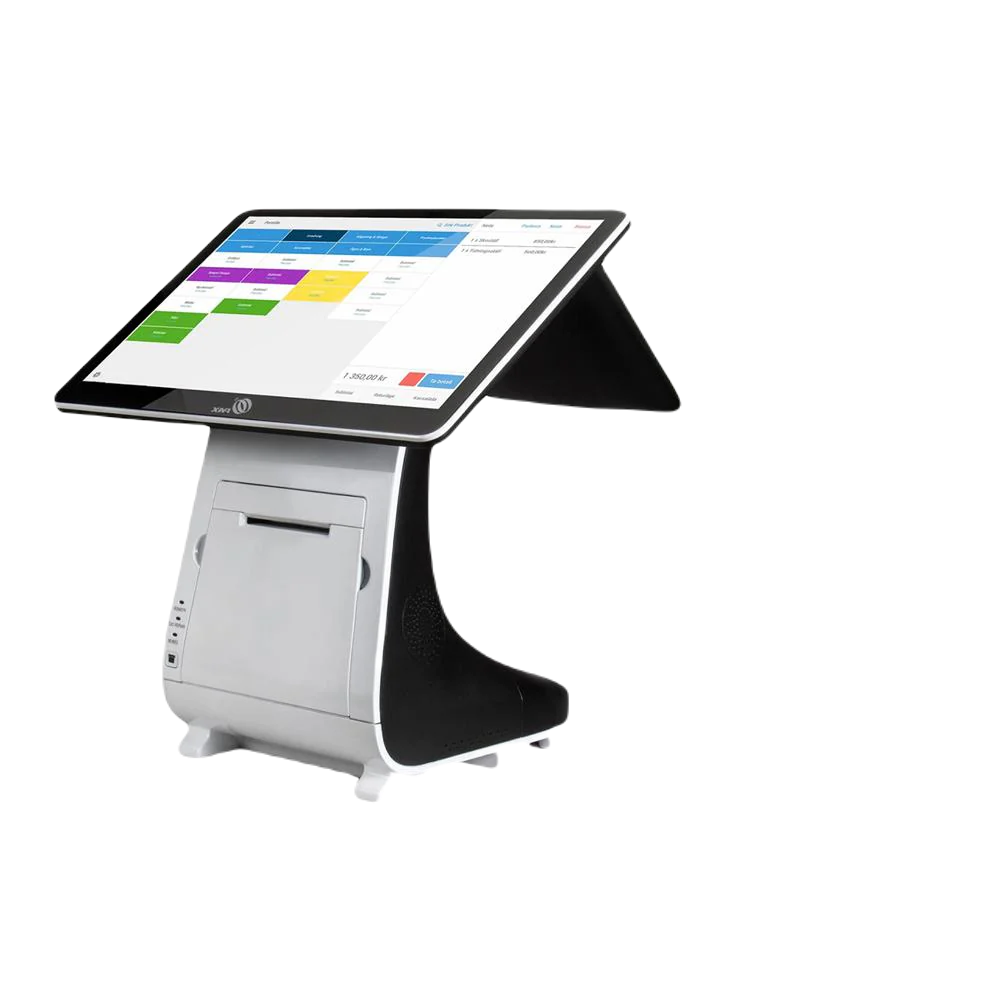
A busy restaurant or retailer may require a complete counter system, customer-facing display, kitchen or receipt printers, and additional handheld devices.
Before choosing a Clover configuration, owners should identify their most important operational challenges.
Is inventory difficult to track?
Are employee hours being managed manually?
Are sales reports too limited?
Is checkout taking too long?
Are online and in-store products managed separately?
Are managers unable to monitor the business remotely?
The answers to these questions can help determine which Clover device, software plan, and applications are appropriate.
How the Merchant Marvels Free Clover POS Program Helps Businesses Grow Faster
Purchasing a complete POS system can be a significant expense for a small business. In addition to the equipment cost, business owners may need to pay for installation, software setup, menu or inventory entry, employee training, and ongoing technical support.
The Merchant Marvels Free Clover POS Program is designed to reduce these upfront barriers and help eligible businesses start using modern payment and management technology without making a large initial equipment investment.
Depending on the business type, processing volume, approval, and program eligibility, Merchant Marvels may provide Clover POS equipment through its Free Equipment Placement Program.
Available equipment may include solutions such as:
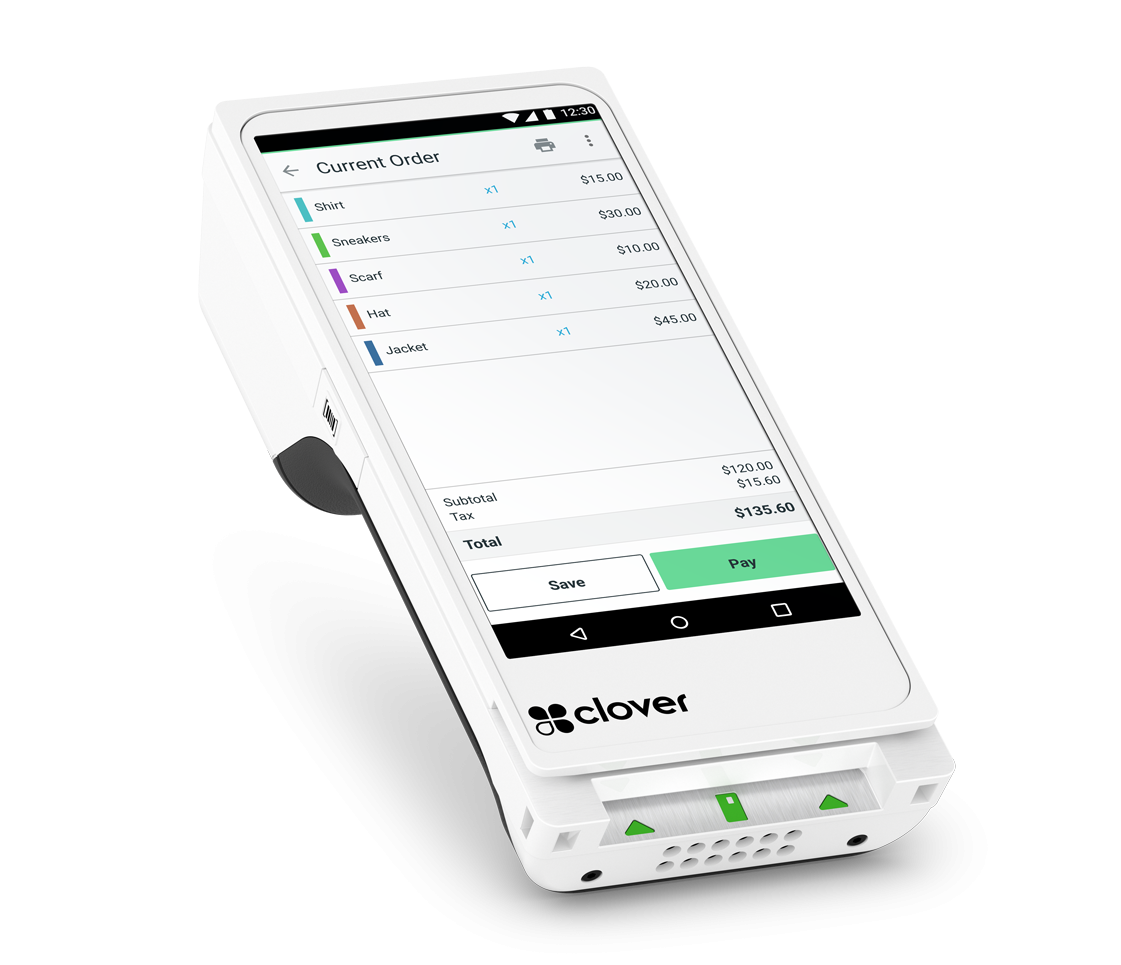
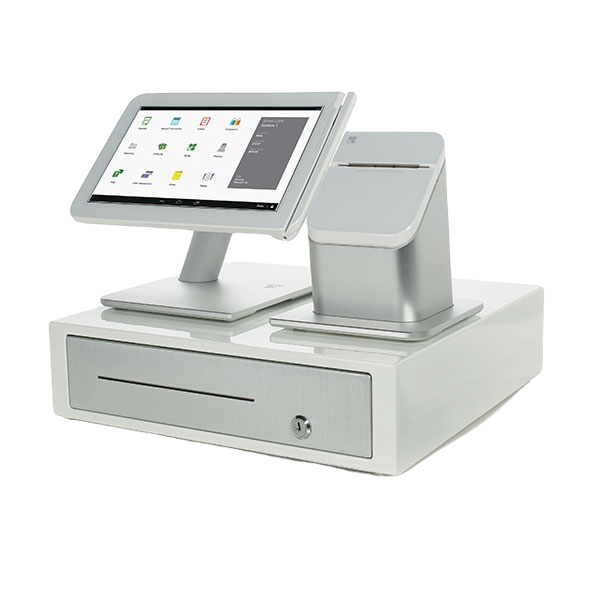
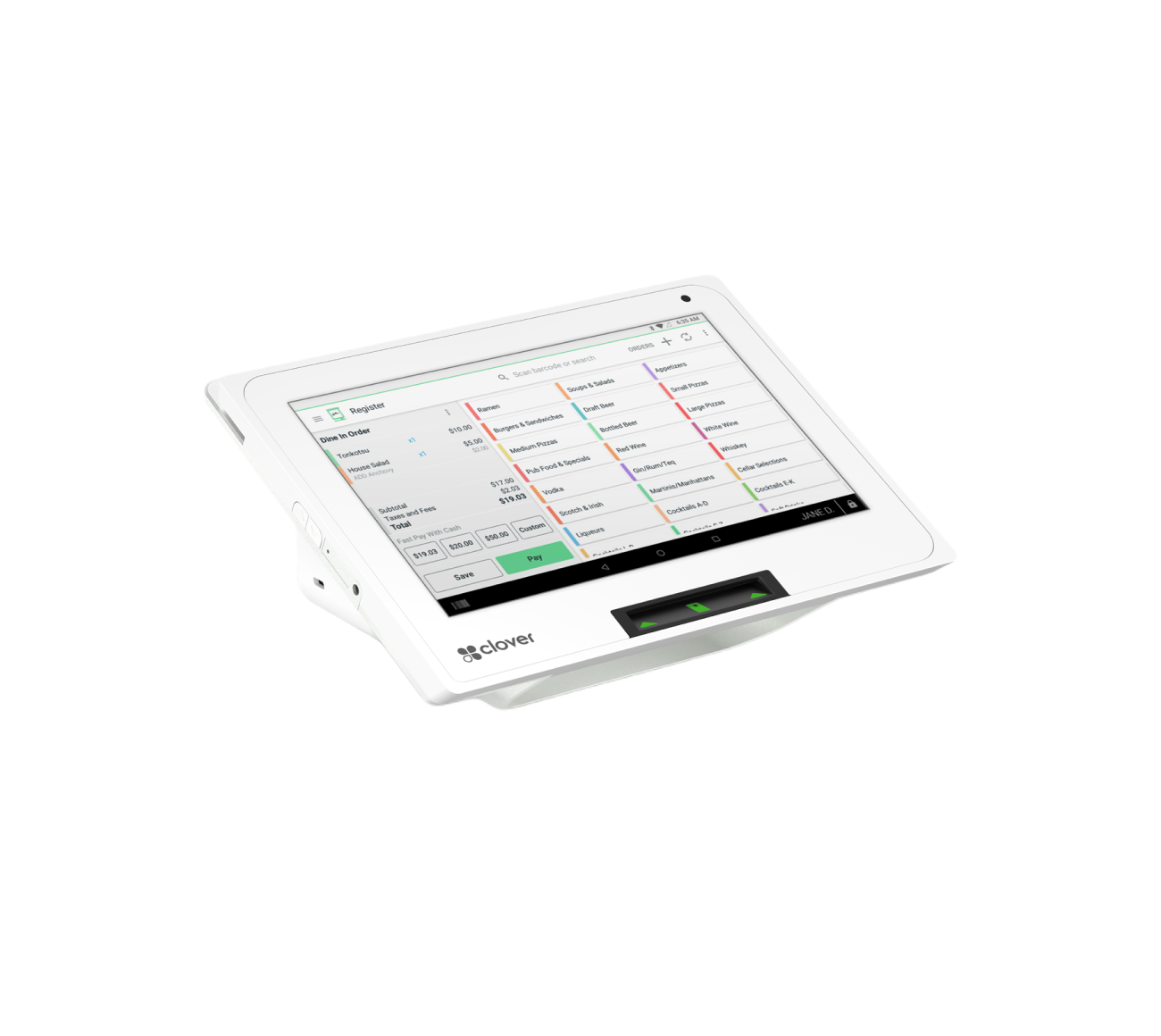
- Clover Station Duo
- Clover Mini
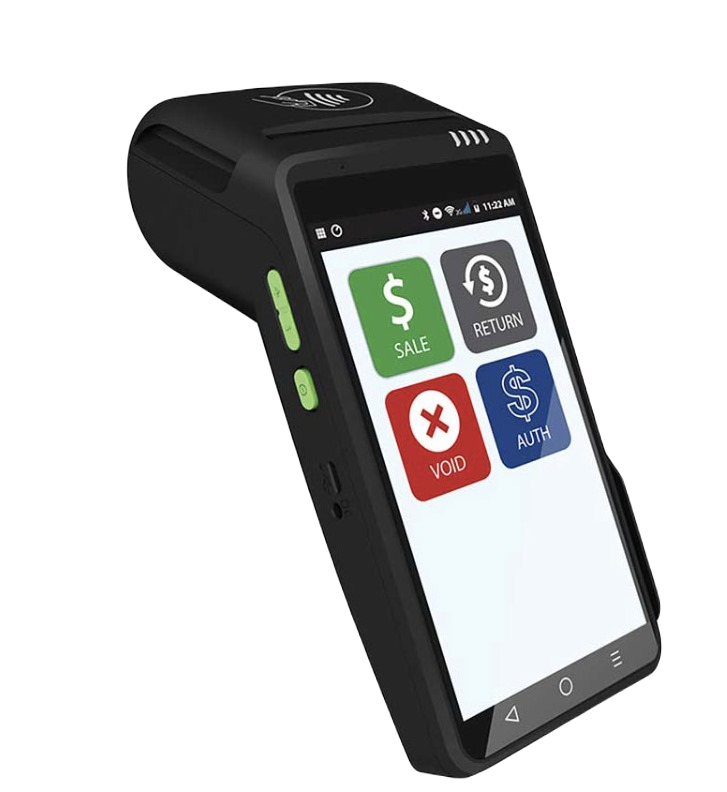
- Clover Flex
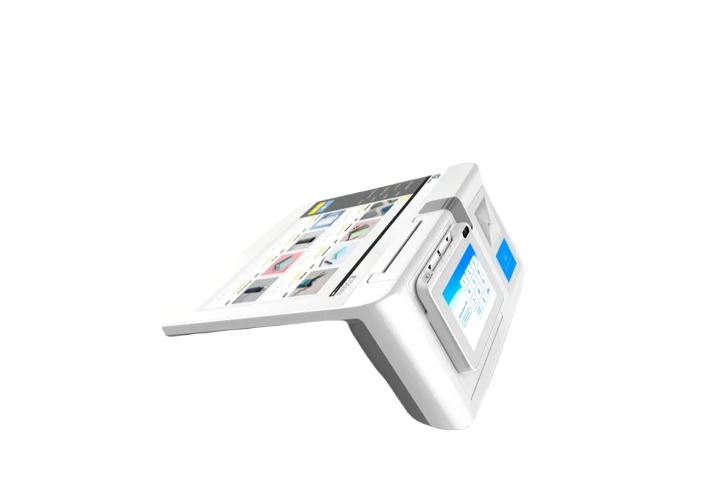
- Clover countertop systems
- Receipt printers
- Kitchen printers
- Customer-facing displays
- Additional equipment based on business requirements
Equipment availability and program terms depend on approval and the selected merchant-services plan.
Reduce Upfront Equipment Costs
One of the biggest advantages of the Merchant Marvels program is that eligible businesses may receive Clover POS equipment without paying the full retail purchase price upfront.
This allows business owners to preserve their available cash for other important expenses, including:
- Inventory purchases
- Employee payroll
- Advertising
- Renovations
- Business licenses
- Rent and utilities
- Product development
- Customer-acquisition campaigns
Instead of investing thousands of dollars in equipment before generating revenue, a business can begin processing payments and managing operations while keeping more working capital available.
This can be particularly helpful for new restaurants, salons, retail stores, convenience stores, food trucks, and other small businesses that already have substantial startup expenses.
Start Accepting Payments Quickly
Delays in payment processing can directly affect revenue.
Merchant Marvels assists businesses with the application, equipment configuration, and onboarding process so they can begin accepting supported payment methods as efficiently as possible.
Depending on the approved setup, businesses may be able to accept:
- Credit cards
- Debit cards
- Contactless payments
- Mobile-wallet payments
- Cash transactions
- Gift cards
- Online orders
- Other supported payment methods
A faster and more convenient checkout process can help reduce customer wait times, improve the purchasing experience, and allow employees to serve more customers during busy periods.
Receive a Clover System Selected for the Business
Not every business needs the same POS equipment.
A mobile service provider may benefit from a Clover Flex, while a high-volume restaurant may need a Clover Station Duo, kitchen printer, customer-facing display, and additional handheld devices.
Merchant Marvels evaluates factors such as:
- Business type
- Monthly transaction volume
- Number of employees
- Checkout environment
- Inventory size
- Mobility requirements
- Online-ordering needs
- Kitchen or service workflow
- Reporting requirements
This helps business owners avoid choosing equipment that is either too limited or unnecessarily complicated.
The objective is to create a Clover setup that matches the way the business actually operates.
Get Help With Inventory and Menu Setup
A POS system is only as useful as the information entered into it.
Merchant Marvels can assist business owners with organizing their inventory, products, services, categories, modifiers, and menu items.
For example, a restaurant may need help entering:
- Menu categories
- Food and beverage items
- Prices
- Sizes
- Toppings
- Add-ons
- Cooking preferences
- Taxes
A retail store may need help organizing:
- Product categories
- Sizes
- Colors
- SKUs
- Prices
- Stock quantities
- Tax settings
A salon may need help entering:
- Services
- Service prices
- Add-on treatments
- Retail products
- Employee access
- Appointment-related options
Correct setup from the beginning can make checkout easier for employees and produce more accurate inventory and sales reports.
Improve Employee Productivity
Clover can help employees complete transactions faster and with fewer manual steps.
Instead of memorizing prices or writing orders by hand, employees can select products, services, and modifiers directly from the POS system.
Merchant Marvels can also help business owners understand how to:
- Create employee profiles
- Assign employee roles
- Control permissions
- Track employee sales
- Manage clock-in and clock-out activity
- Review discounts and refunds
- Train employees on the checkout process
When employees are properly trained, they can spend less time correcting mistakes and more time serving customers.
Use Sales Reports to Make Faster Decisions
The Merchant Marvels program gives businesses access to more than payment equipment. It can provide a foundation for making better business decisions using Clover’s reporting tools.
Business owners can use Clover reports to review:
- Daily sales
- Hourly sales
- Best-selling items
- Slow-moving products
- Employee sales totals
- Refunds
- Discounts
- Payment methods
- Busy days
- Peak business hours
These insights can help businesses grow faster by improving inventory purchasing, employee scheduling, pricing, promotions, and product selection.
For example, if a report shows that a product sells quickly every weekend, the owner can increase stock before the next busy period.
If the business is busiest between 5:00 p.m. and 8:00 p.m., the owner can schedule more employees during those hours.
If an item is rarely purchased, the business can reduce its stock, change its price, or replace it with a more popular option.
Offer Faster and More Professional Checkout
Customers expect checkout to be quick, simple, and secure.
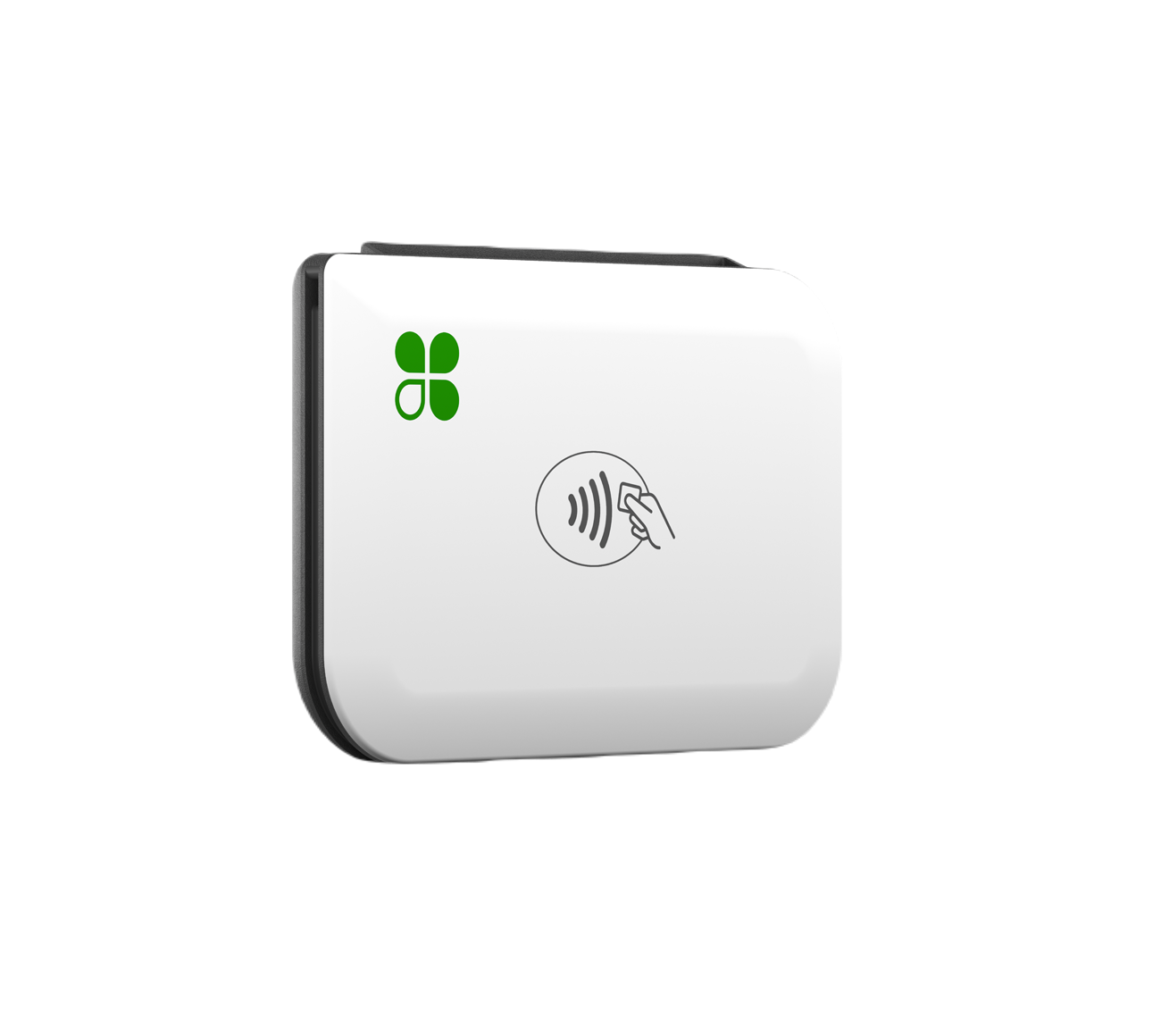
Modern Clover devices provide a professional payment experience and support popular payment methods, including contactless and mobile-wallet transactions on compatible equipment.
A smoother checkout experience can help businesses:
- Reduce lines
- Serve more customers
- Reduce manual price-entry errors
- Improve order accuracy
- Create a more professional image
- Encourage repeat visits
For restaurants, handheld Clover devices may allow employees to take orders or payments closer to the customer.
For mobile businesses, Clover Flex can make it easier to accept payments away from a traditional checkout counter.
Avoid Long-Term Restrictions
Merchant Marvels promotes qualifying programs with no long-term contract and no cancellation charges, subject to the merchant’s written agreement and program terms.
This gives business owners greater flexibility compared with arrangements that include lengthy commitments or large early-termination penalties.
Before enrolling, every merchant should carefully review the application, processing agreement, software charges, equipment-placement conditions, and equipment-return requirements.
Free equipment generally remains part of a placement program and may need to be returned if the merchant account is closed or the business stops processing under the program.
Receive Setup, Training, and Ongoing Support
Receiving POS equipment is only the beginning.
Business owners and employees must understand how to use the system correctly.
Merchant Marvels can assist with:
- Initial Clover setup
- Device activation
- Product or menu configuration
- Employee profile creation
- Basic inventory setup
- Payment processing training
- Refund and transaction guidance
- Reporting guidance
- Ongoing merchant support
Training can help employees feel more confident and reduce checkout mistakes during the first days of operation.
Ongoing support also helps businesses resolve technical or processing questions without having to manage every issue alone.
Access Additional Business-Growth Services
Depending on the approved offer, business needs, and program terms, Merchant Marvels may also help eligible businesses with additional digital-growth services.
These may include:
- Business website design
- Online-ordering setup
- Google Business Profile guidance
- Digital marketing support
- Social-media marketing
- Customer-engagement tools
- Business-funding solutions
A POS system helps manage customers who are already making a purchase. Marketing and online-presence services can help attract more customers to the business.
Combining payment technology, reporting, online visibility, and customer acquisition can give small businesses a stronger foundation for growth.
Keep More Resources Focused on Growth
The Merchant Marvels Free Clover POS Program can help business owners reduce initial technology expenses, improve daily operations, and gain access to information that supports faster decisions.
Rather than spending limited capital on purchasing equipment upfront, eligible merchants can direct more resources toward the areas that generate growth.
These may include:
- Hiring additional employees
- Expanding inventory
- Launching new services
- Improving the customer experience
- Opening another location
- Increasing advertising
- Extending business hours
The program does not guarantee sales or business growth. Results depend on the merchant’s products, services, location, management, pricing, customer demand, and use of the available Clover tools.
However, when Clover POS is properly configured and consistently used, it can give business owners the operational structure and information needed to grow more efficiently.
Why Clover and Merchant Marvels Work Well Together
Clover provides the technology to process payments, organize inventory, manage employees, and review sales information.
Merchant Marvels helps eligible businesses select, configure, and understand that technology while reducing the upfront cost of obtaining POS equipment.
Together, the solution can help business owners:
- Begin accepting payments quickly
- Reduce upfront equipment expenses
- Improve inventory organization
- Increase employee accountability
- Monitor business performance remotely
- Make decisions using sales data
- Improve the checkout experience
- Access training and ongoing support
- Invest more available capital into business growth
For businesses that are still using an outdated terminal, manual cash register, handwritten inventory records, or disconnected management systems, moving to Clover through Merchant Marvels can be an important step toward a more organized and scalable operation.